Audience
Audience determines which WordPress roles and users receive your Dran Admin Cleaner (DAC) configuration.
Before configuring Menu Cleaner, Notice Cleaner, Dashboard Cleaner, Admin Bar Cleaner, or other shared DAC cleanup features, define who the configuration should apply to.
This allows you to customize the WordPress admin experience for clients or other users while keeping selected accounts unaffected.
How Audience Works
Global Audience controls who receives the shared DAC cleanup configuration.
Choose one of three audience modes:
- Everyone — Apply the configuration to every user who is not bypassed.
- Only selected — Apply the configuration only to the selected WordPress roles or individual users.
- Everyone except — Apply the configuration to everyone except the selected roles or users.
Only one audience mode can be active at a time.
Owners and managers always bypass the cleanup configuration.
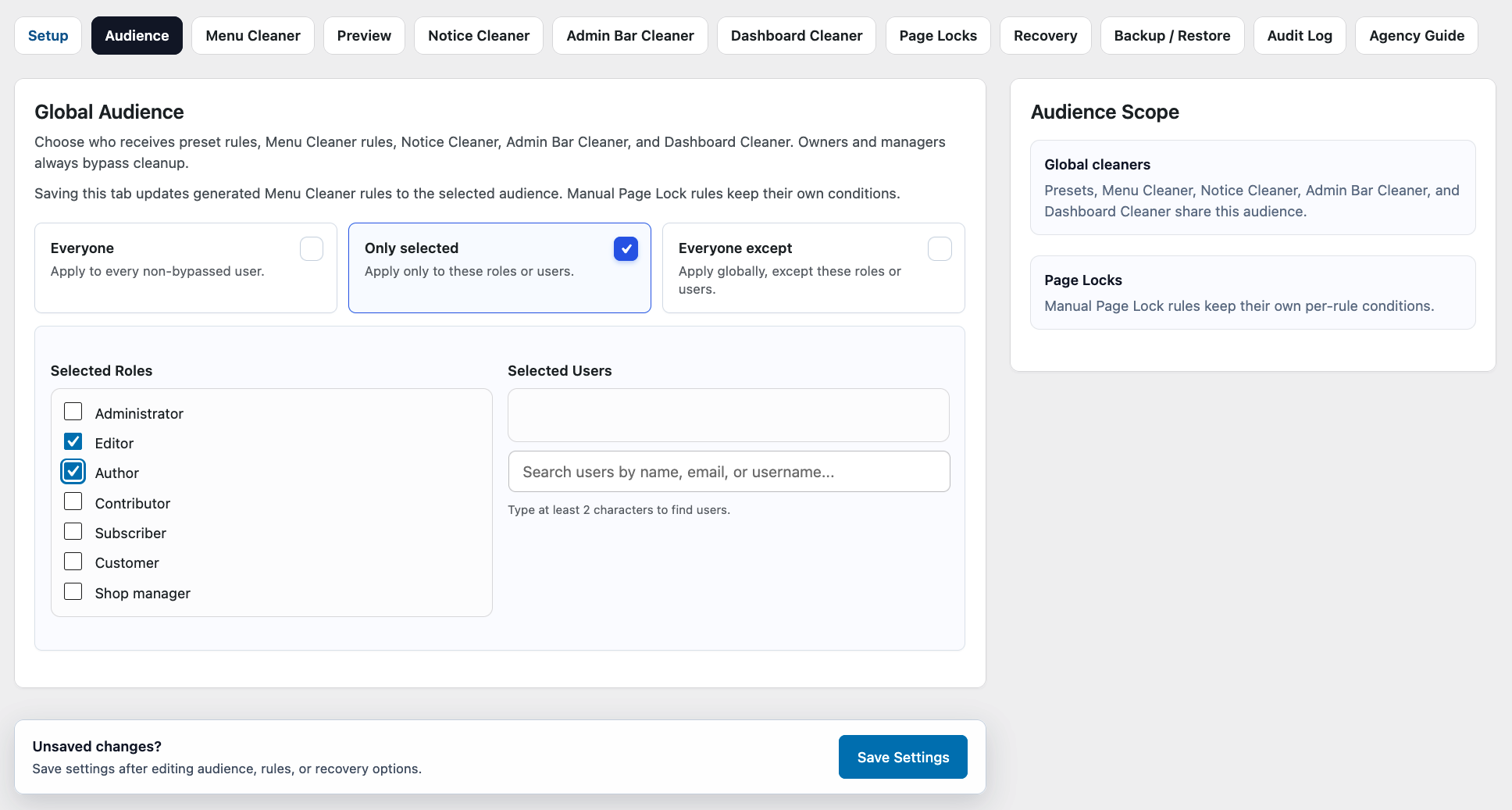
Choose whether DAC applies to everyone, only selected roles or users, or everyone except specific roles or users.
Selecting Roles and Users
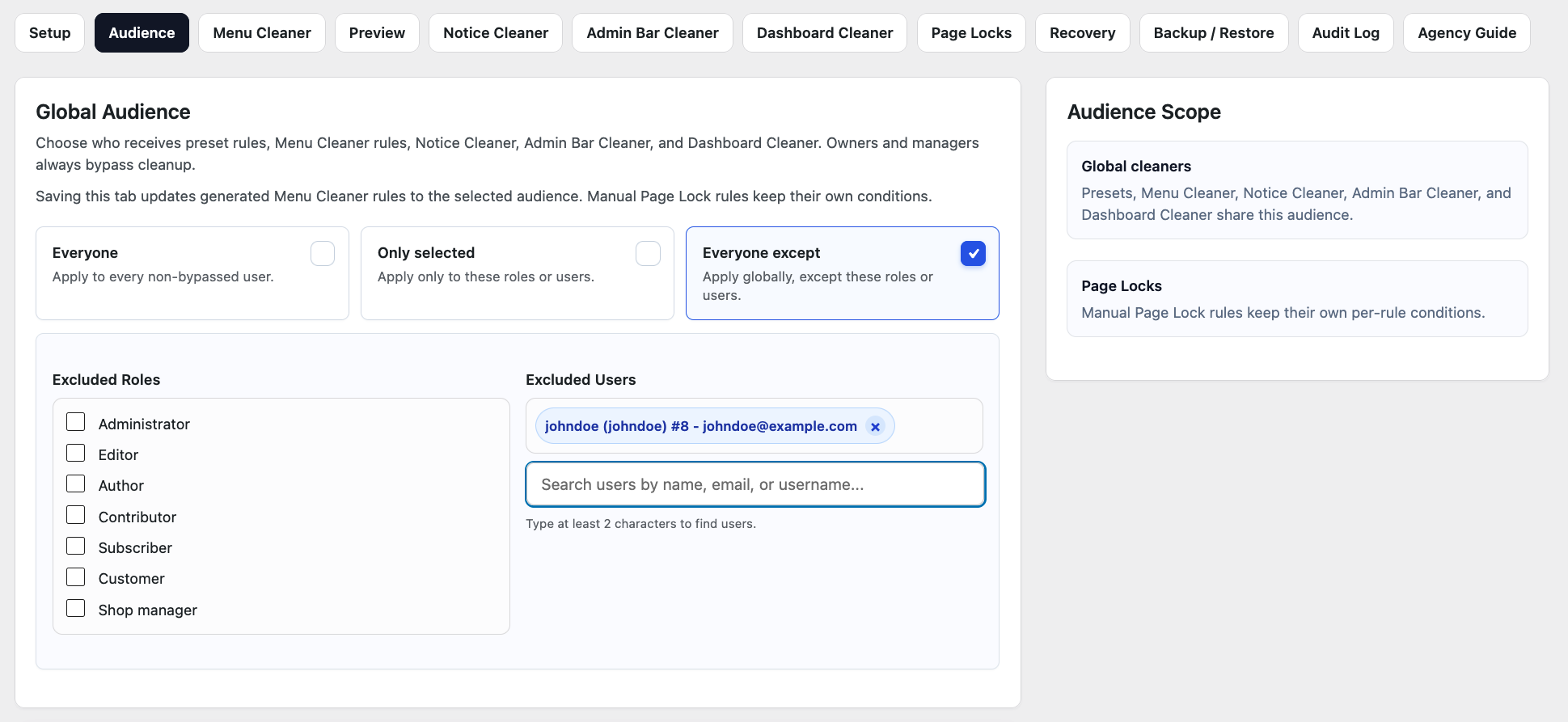
When using Only selected or Everyone except, you can choose:
- WordPress roles — useful when the same configuration should apply to a group of users.
- Individual users — useful when you need to target or exclude specific accounts.
For example, you can use Only selected to apply DAC to the Editor role, or use Everyone except to keep selected roles or users unaffected while applying the configuration more broadly.
Example: A Client Website
Suppose a website has the following users:
| User | Role | Desired Behavior |
|---|---|---|
| Site Owner | Administrator | Keep normal admin experience |
| Developer | Administrator | Keep normal admin experience |
| Client Manager | Editor | Apply DAC |
| Content Editor | Editor | Apply DAC |
A simple Audience configuration would be:
Audience mode
- Only selected
Selected role
- Editor
DAC will apply the shared cleanup configuration to users with the Editor role while leaving users outside that selection unaffected.
If only specific Editor accounts should receive the configuration, select those individual users instead of targeting the entire Editor role.
Keeping the Audience configuration simple makes it easier to understand and maintain later.
Which Features Use Global Audience
Global Audience is used by DAC features that share the main cleanup targeting configuration, including:
- Menu Cleaner
- Notice Cleaner
- Dashboard Cleaner
- Admin Bar Cleaner
- Preset-generated cleanup rules
Saving the Audience configuration also updates generated Menu Cleaner rules to use the selected audience.
Page Locks are different. Manually created Page Lock rules keep their own conditions and are not replaced by changes to Global Audience.
Audience Does Not Change WordPress Permissions
Audience does not modify WordPress roles or capabilities.
Selecting an Editor, Administrator, or another role in DAC does not change the permissions assigned to that role by WordPress.
Audience only determines whether DAC's cleanup configuration applies to a user.
If you need to change what a WordPress role is actually permitted to do, use the WordPress roles and capabilities system or a dedicated permission-management solution.
Be Careful With Administrator Accounts
DAC can target Administrator accounts, but this should be done carefully.
Before applying DAC to administrators:
- Make sure your own administrative access is protected.
- Review Owner Bypass and the available safety and recovery mechanisms.
- Start with a small change.
- Preview the affected role.
- Test important workflows using an appropriate account.
- Confirm that your recovery options are available before applying broader restrictions.
Remember that hiding a menu item does not necessarily prevent direct access to its underlying admin page.
Use Page Locks when access to a specific page must actually be restricted.
Preview the Affected Role
After configuring Audience, use Preview to inspect the admin experience for a selected role.
Preview helps you confirm that the configuration behaves as expected before applying more extensive changes or handing the website over to a client.
For important workflows, we still recommend testing with an appropriate WordPress user account.
Recommended Approach
For most websites, keep the Audience configuration as simple as possible.
A good starting point is:
- Use Only selected when DAC should apply only to a client role or a small group of users.
- Use Everyone except only when most users should receive the configuration.
- Select individual users when role-based targeting would be too broad.
- Avoid targeting Administrators unless there is a clear reason.
- Preview the affected role.
- Test important workflows with an appropriate user account.
Simple Audience rules are easier to understand, maintain, and troubleshoot later.
Next Step
Once Audience is configured, continue with Menu Cleaner to customize the WordPress admin navigation for the affected users.
If you need to prevent users from directly accessing specific admin pages, see Page Locks.