Reusing Exported Configurations
Dran Admin Cleaner (DAC) lets you export supported cleanup settings and rules as a JSON file.
That file can be stored as a backup or restored on another compatible WordPress installation when you want to reuse an existing DAC configuration.
DAC does not provide a separate Import workflow.
To reuse a configuration on another site:
Source website → Export JSON → Move the file to the destination website → Upload it through Restore → Review and test the restored configuration
This can be useful for agencies, freelancers, and developers who manage multiple websites with similar admin requirements.
Export a Configuration
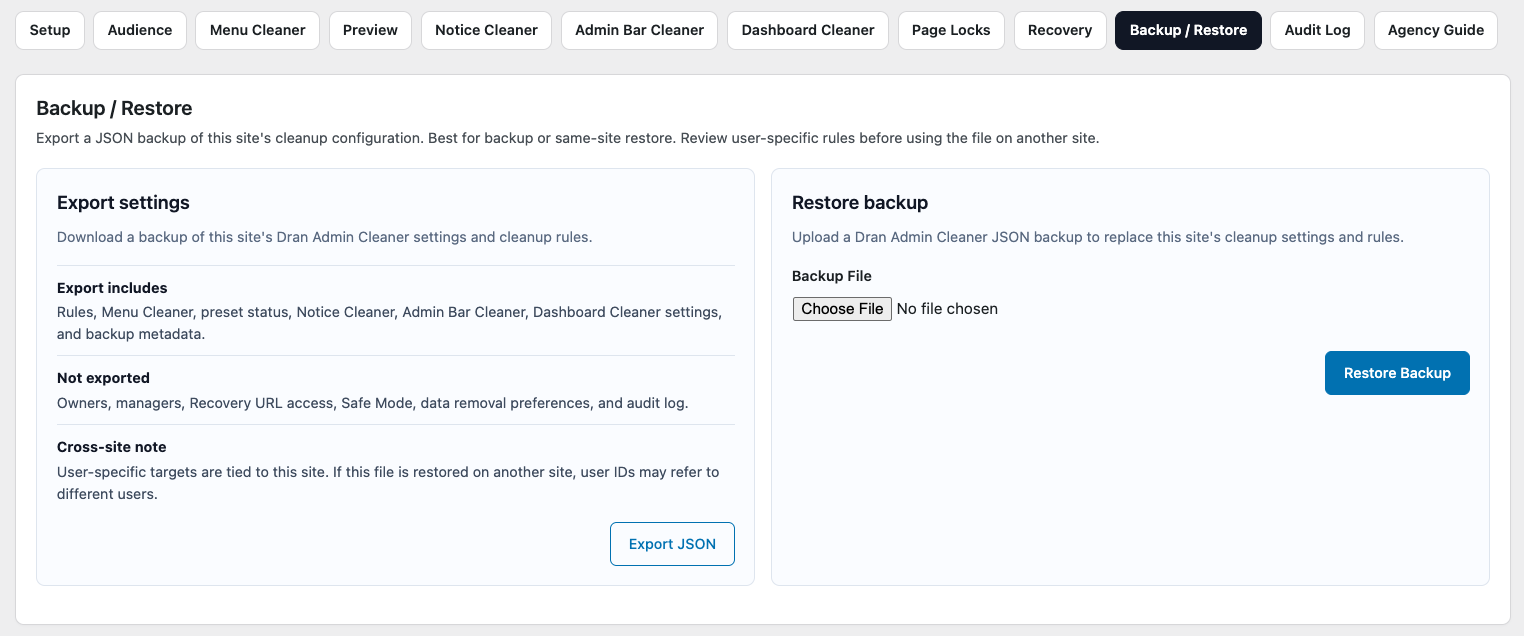
On the source website, use Export to download the current supported DAC cleanup configuration as a JSON file.
Store the file somewhere safe.
The exported JSON file can later be:
- Restored on the same website.
- Stored as a configuration backup.
- Restored on another compatible DAC installation as a starting point.
DAC does not keep an internal copy of exported files.
Once downloaded, you are responsible for storing them.
What an Export Contains
A DAC export contains supported cleanup settings and rules.
Depending on the DAC version and current configuration, this may include settings related to:
- Global Audience.
- Menu Cleaner.
- Page Locks.
- Notice Cleaner.
- Dashboard Cleaner.
- Admin Bar Cleaner.
- Other supported cleanup configuration.
The JSON file contains DAC configuration only.
It is not a complete WordPress backup and does not include:
- Website content.
- Media files.
- Themes.
- Plugins.
- The complete WordPress database.
- Server configuration.
Use an appropriate WordPress backup or migration solution when you need to move or protect the complete website.
Restore the Export on Another Website
To reuse an exported configuration on another website, install a compatible version of DAC on the destination site.
Then upload the exported JSON file using Restore.
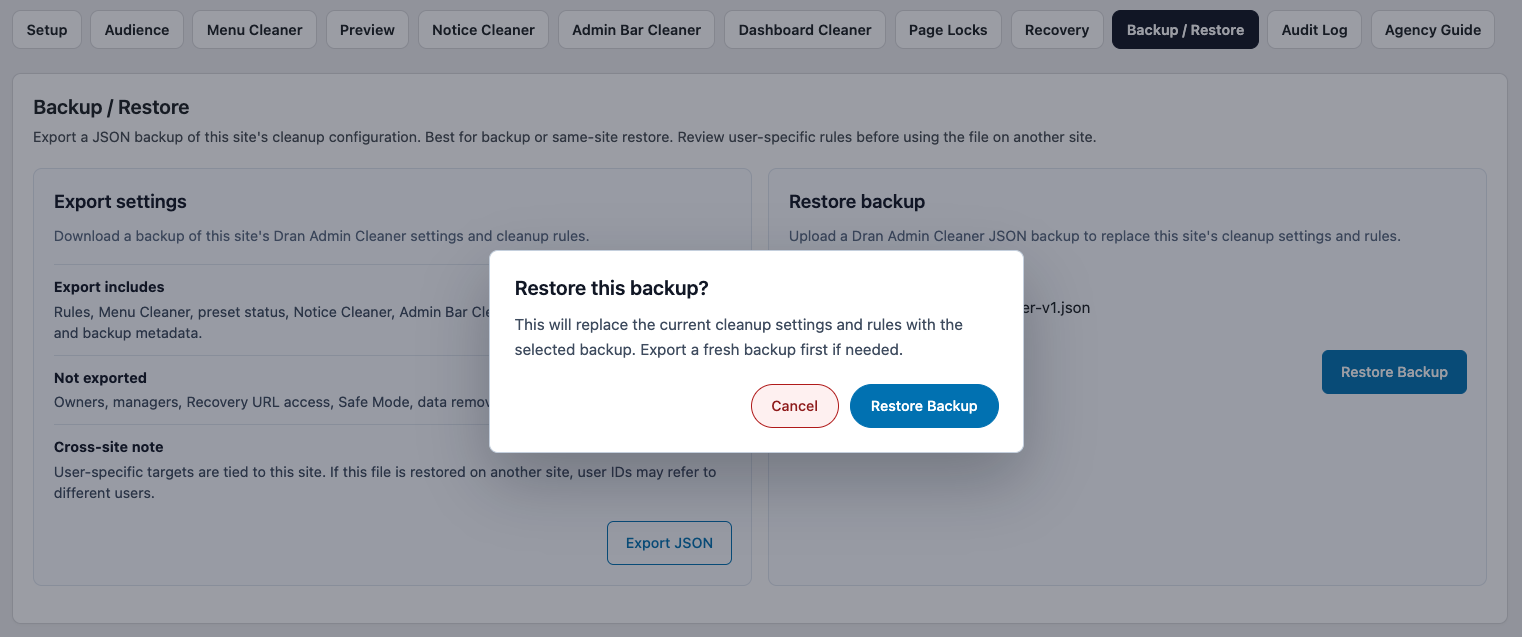
Restore replaces the destination site's current supported cleanup settings and rules with the configuration contained in the uploaded file.
It is not a merge operation.
If the destination site already has a DAC configuration that you may want to keep, export it before restoring another file.
A safe workflow is:
Destination configuration → Export current JSON → Restore source JSON → Review restored configuration → Test affected users and workflows
Different Websites Need Different Review
Two WordPress websites can have very different admin environments even when they use the same DAC version.
Differences may include:
- Installed plugins.
- Active themes.
- WordPress roles.
- User accounts.
- Custom post types.
- Plugin admin pages.
- Dashboard widgets.
- Admin Bar items.
- WordPress capabilities and workflows.
Because of this, a configuration that works well on one site should not be assumed to work correctly on another.
Treat a restored cross-site configuration as a starting point, not a finished setup.
User-Specific Configuration
Be especially careful when an exported configuration contains rules that refer to individual WordPress users.
User accounts are site-specific.
A user from the source website may:
- Not exist on the destination site.
- Have a different role.
- Have different responsibilities.
- Represent a completely different account.
After restoring a configuration on another site, review all user-specific targeting.
This is particularly important for:
- Global Audience selections.
- Page Lock conditions.
Do not assume that user-specific rules remain valid simply because the JSON file restored successfully.
Role-Based Configuration
Role-based configuration is generally easier to reuse, but it still requires review.
A destination website may have:
- Custom WordPress roles.
- Roles added by plugins.
- Different capabilities assigned to the same role name.
- Different workflows for users with apparently similar roles.
For example, an Editor on one site may have very different responsibilities from an Editor on another.
Role-based reuse can save setup time, but it does not replace destination-site testing.
Plugin-Specific Admin Elements
DAC configuration may refer to admin elements created by plugins.
For example, the source site may contain:
WooCommerce
SEO
Forms
Caching
while the destination site uses a different plugin stack.
An exported Menu Cleaner rule may therefore refer to a menu item that does not exist on the destination site.
Likewise, the destination site may contain admin elements that were not present when the JSON file was created.
After restoring, review the current WordPress admin environment and adjust DAC where necessary.
Page Locks Require Extra Review
Page Locks should always be reviewed carefully after restoring configuration from another site.
A Page Lock that is correct on the source site may be inappropriate or unsafe on the destination site.
Review each restored Page Lock:
- Check its targeting conditions.
- Confirm that the protected page exists.
- Confirm that the restriction is still required.
- Verify the redirect destination.
- Check related Page Locks.
- Test normal navigation.
- Test the page using its direct URL.
- Test using the actual affected WordPress account.
Manual Page Locks use their own targeting conditions independently from Global Audience.
Keep your Recovery URL available while testing restored access rules.
Restore Does Not Install Plugins or Themes
Restoring a DAC JSON file does not recreate the software environment from the source website.
For example, if Menu Cleaner contains a rule for a menu created by WooCommerce, restoring that configuration on a site without WooCommerce does not install WooCommerce.
The destination site's themes, plugins, roles, and other WordPress configuration must be prepared separately.
DAC restores its supported cleanup configuration only.
This Is Not Website Migration
Using an exported DAC configuration on another site does not migrate the website.
It does not transfer:
- Posts or pages.
- Media files.
- WordPress users.
- Themes.
- Plugins.
- Plugin data.
- General WordPress settings.
- The complete WordPress database.
Use a dedicated WordPress migration process when moving a complete website.
DAC export files are only for supported DAC cleanup settings and rules.
Before Restoring on Another Site
Before restoring a DAC export on a destination website:
- Export the destination site's current DAC configuration if you may need it later.
- Make sure trusted administrative access is available.
- Keep the Recovery URL available.
- Confirm that the JSON file comes from a source you trust.
- Compare the source and destination WordPress environments.
- Be prepared to review Page Locks immediately after restoration.
Because Restore replaces supported cleanup settings and rules, do not upload an export casually to an existing configured site.
After Restoring
After restoring an exported configuration on another website:
- Review Global Audience.
- Review individual user targeting.
- Check Menu Cleaner.
- Review Page Locks and their conditions.
- Check Notice Cleaner.
- Review Dashboard Cleaner.
- Check Admin Bar Cleaner.
- Verify the resulting cleanup directly with appropriate WordPress accounts.
- Test important Page Locks using direct URLs.
- Export a new JSON backup once the destination configuration is working correctly.
Do not hand the website over to a client immediately after restoring a configuration from another site.
Example: Reusing an Agency Setup
Suppose your agency regularly builds content-focused WordPress websites.
You have a tested DAC setup that provides:
Global Audience → Target client content users
Menu Cleaner → Keep Pages, Posts, and Media → Remove unnecessary navigation from the client workspace
Page Locks → Restrict selected technical pages
Instead of recreating the configuration manually on every project:
Existing website → Export DAC JSON → New website → Export existing destination configuration if necessary → Restore DAC JSON → Review site-specific settings → Test real accounts → Adjust for the new client → Export the finished configuration
This can save setup time without assuming that different websites are identical.
Reusable Agency Templates
Exported JSON files can also serve as internal starting templates.
For example:
- Content Website
- WooCommerce Website
- Marketing Website
- Simple Client Handoff
Keep each template as an exported JSON file outside WordPress.
When starting a new project, restore the closest template and then review it against the actual destination environment.
Treat templates as starting points, not universal presets.
Bản cũ vốn cũng có ý tưởng template cho agency khá hợp lý; chỉ sai ở chỗ gọi thao tác nhận file là Import thay vì Restore.
Export File Safety
Only restore DAC JSON files from sources you trust.
Do not manually modify an export unless you understand its structure and the consequences of changing configuration values.
DAC may reject a file that is invalid, incompatible, or cannot be safely restored.
Keep an untouched copy of important exports before experimenting with them.
Version Compatibility
DAC configuration formats may change as the plugin evolves.
When restoring an older JSON export:
- Use a compatible DAC version.
- Review the restored configuration afterward.
- Test affected accounts and Page Locks.
- Keep the original export file until the restored setup has been verified.
If DAC cannot safely process an export file, it may reject the restore instead of applying incompatible configuration.
For long-term configuration archives or agency templates, recording the DAC version that created the file can also be useful.
Recommended Agency Workflow
For agencies managing multiple websites:
- Build and test a clean base DAC configuration.
- Export it as JSON.
- Store the export as an internal template.
- Install DAC on the destination website.
- Export any existing destination configuration if necessary.
- Restore the template JSON.
- Review destination-specific plugins, roles, and users.
- Review Page Locks and their conditions carefully.
- Test important workflows with actual WordPress accounts.
- Customize the configuration for the individual website.
- Export the verified destination configuration as a new backup.
This approach reduces repetitive setup without treating different WordPress websites as interchangeable.
Next Step
See Backup & Restore for the basic Export JSON and Restore workflow.
Continue with Audit Log to review supported DAC configuration activity and investigate recent changes.